

FlyByTree
Description
Section titled “Description”This is a component that allows you to set two or more Target Plane paths. It generates flyby target planes connecting between each branch, and reconstructs the path in sections where it leaves the workpiece when moving between path segments to determine the target planes according to user-defined values.
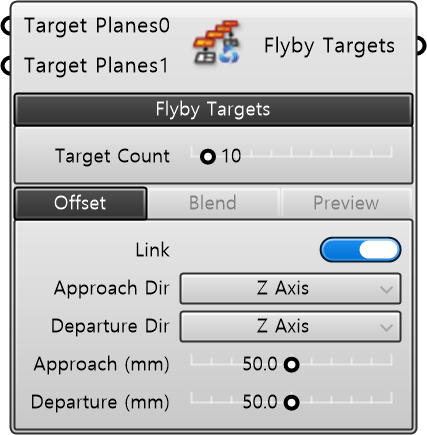
| Name | Type | Description |
|---|---|---|
| Target Planes0 | Plane | Target plane DataTree to be used as the basis for transition path generation. |
| Target Planes1 | Plane | Target plane DataTree to be used as the basis for transition path generation. |
| + ADD | Plane | Adds a target plane DataTree to be used as the basis for transition path generation. |
Required Parameter
Section titled “Required Parameter”| Name | Type | Description |
|---|---|---|
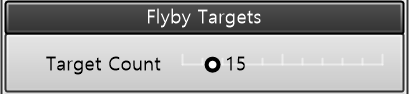
| Target Count | Number | Number of target planes composing the transition path. |
| Name | Type | Description |
|---|---|---|
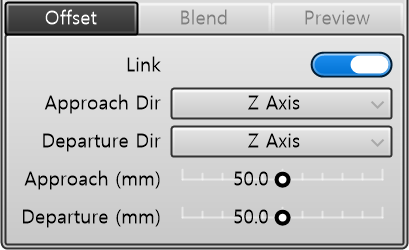
| Link | Toggle | Links Approach and Departure values. TRUE: Adjusting one side automatically matches the other. FALSE: Independent adjustment (Default). |
| Approach Dir | String | Batch specifies the approach direction of the transition path. • Motion Dir: Inverse of the motion vector at the start of each branch. • Z/Y/X Axis · Negative Z/Y/X Axis: Corresponding axis direction of the starting target plane. |
| Departure Dir | String | Batch specifies the departure direction of the transition path. • Motion Dir: Direction of the motion vector at the end of each branch. • Z/Y/X Axis · Negative Z/Y/X Axis: Corresponding axis direction of the last target plane. |
| Approach(mm) | Number | Offset distance (mm) of the transition path entry point from the first target plane. |
| Departure(mm) | Number | Offset distance (mm) of the transition path exit point from the last target plane. |
| Name | Type | Description |
|---|---|---|
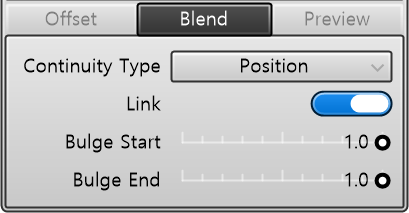
| Continuity | String | Continuity type of the transition path blend. [Position]: Position continuity (G0). [Tangency]: Tangency continuity (G1). [Curvature]: Curvature continuity (G2). |
| Link | Toggle | Links ‘Bulge Start’ and ‘Bulge End’ values. TRUE: Adjusting one side automatically matches the other. FALSE: Independent adjustment (Default). |
| Bulge Start | Number | Bulge degree at the start point of the blend. |
| Bulge End | Number | Bulge degree at the end point of the blend. |
| Name | Type | Description |
|---|---|---|
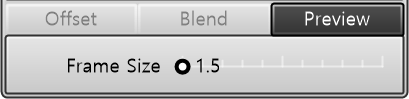
| Frame Size | Number | Frame size. |
Output
Section titled “Output”| Name | Type | Description |
|---|---|---|
| Target Planes | Plane | Transition path (Flyby) target plane DataTree |