

Positioner
Description
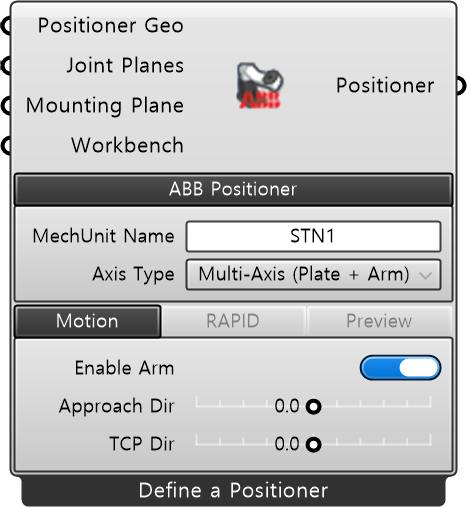
Section titled “Description”This is a component that allows you to customize the ABB positioner robot to be used. After completing the detailed settings of the positioner you own, simulation work is available. You can configure it by right-clicking the component icon and selecting [Define Positioner].
| Name | Type | Description |
|---|---|---|
| Positioner Geo | Mesh | Geometry mesh for each link of the positioner. |
| Joint Planes | Plane | A list of planes sequentially defining the kinematic chain of the positioner from the fixed base to the flange. Set in order: Fixed reference coordinate system (Base) - Each rotation axis coordinate system (J1, J2, …) - Workbench/Workpiece attachment surface (Flange). (That is, for an N-axis positioner, a total of N+2 planes must be input.) |
| Mounting Plane | Plane | The flange plane of the positioner. The top reference surface where the WorkBench is mounted. Default value: WorldXY. |
| Workbench | Workbench | Defines the WorkBench mounted on the positioner flange (Optional). |
Required Parameter
Section titled “Required Parameter”| Name | Type | Description |
|---|---|---|
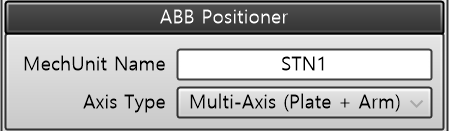
| MechUnit Name | String | Positioner (MechUnit) variable name |
| Axis Type | String | ABB positioner model |
| Name | Type | Description |
|---|---|---|
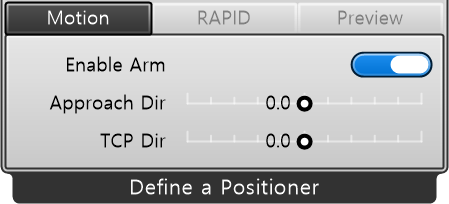
| Enable Arm | Toggle | Enable positioner arm motion |
| Approach Dir | Number | TCP approach direction relative to the positioner. The positioner determines the rotational posture based on the approach in this direction. |
| TCP Dir | Number | Direction of the TCP that the positioner will ultimately align |
| Name | Type | Description |
|---|---|---|
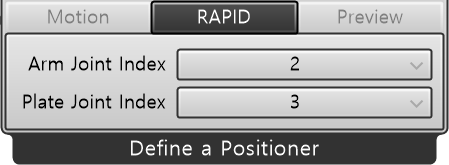
| Arm Joint Index | String | Index (1~6) of the ExtJoint array inside RobTarget to assign the positioner arm joint angle. Cannot overlap with other external axis indices. - Example: Arm = 2, Plate = 3 → ExtJoint [9E9, arm, plate, 9E9, 9E9, 9E9] |
| Plate Joint Index | String | Index (1~6) of the ExtJoint array inside RobTarget to assign the positioner plate joint angle. Cannot overlap with other external axis indices. - Example: Arm = 2, Plate = 3 → ExtJoint [9E9, arm, plate, 9E9, 9E9, 9E9] |
| Name | Type | Description |
|---|---|---|
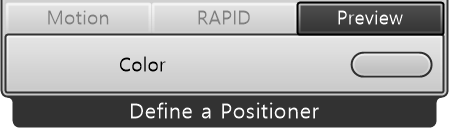
| Color | Color | Visualization color |
Output
Section titled “Output”| Name | Type | Description |
|---|---|---|
| Positioner | Positioner | External axis positioner to interface with the robot. |